wayper
Cross-platform wallpaper manager with Wallhaven integration and AI-native control.


Cross-platform wallpaper manager with Wallhaven integration and AI-native control.

Auto-downloads wallpapers based on your preferences. Browse and search Wallhaven online from the GUI.
Portrait monitors get portrait wallpapers. No manual sorting.
Validates, resizes, rotates. Favorites, blacklist, history navigation — all built in.
SFW, Sketchy, NSFW — independently toggleable. Persistent across sessions.
Analyzes your dislikes to find tags you keep blocking. Preview matches, then exclude with one click. Related tags are automatically suppressed.
Browse, preview, search by tags, and manage your collection. Works on Linux and macOS.
Every action has a shortcut. Grid navigation, lightbox preview, favorites — no mouse required.
Built-in MCP server for Claude Code and other assistants.
--json flag on every command for scripting.
paru -S wayper # or: yay -S wayper# Download the latest .dmg from GitHub Releases
curl -LO https://github.com/yuukidach/wayper/releases/latest/download/wayper.dmg
open wayper.dmg
# Drag wayper.app to Applications, then run from Launchpad or:
wayper-guigit clone https://github.com/yuukidach/wayper.git
cd wayper
uv venv && uv pip install -e .wayper daemon # start background rotation + downloads
wayper next # next wallpaper (forward or new random)
wayper prev # previous wallpaper from history
wayper fav [--open] # favorite current wallpaper
wayper unfav # remove from favorites
wayper dislike # blacklist + switch
wayper undislike # undo last dislike
wayper mode # toggle sfw↔nsfw (preserves sketchy)
wayper mode sketchy # toggle sketchy on/off
wayper mode sfw,sketchy # set exact purity combination
wayper status # show current state
wayper-gui # GUI app
wayper setup # install .desktop entry (Linux)
wayper --json status # machine-readable output
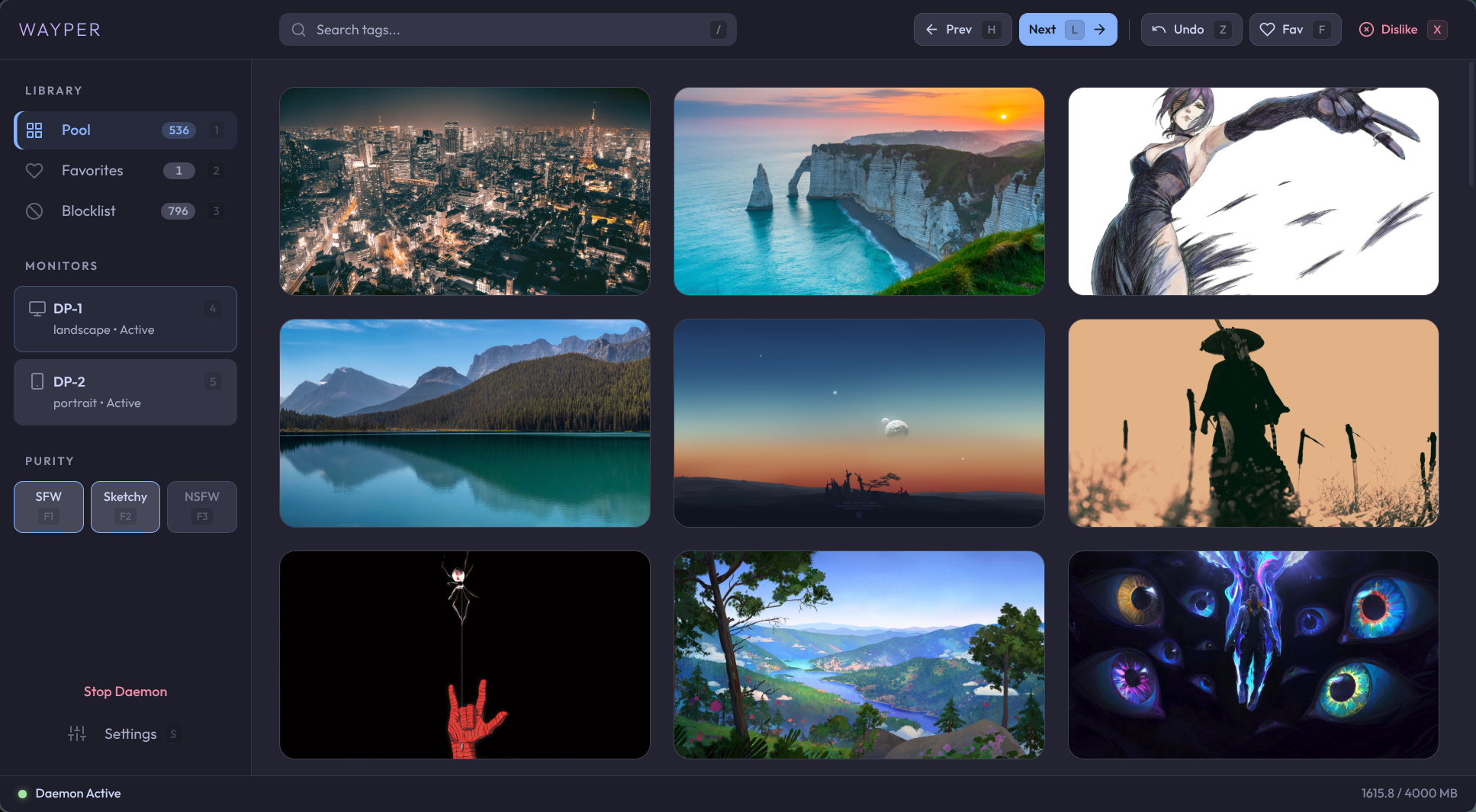
wayper-gui — browse your pool, favorites, and disliked wallpapers. Quick actions, daemon control, settings. Designed to be fully operable without a mouse.
Grid view
Lightbox preview
Built-in MCP server lets AI assistants control your wallpapers. Ask Claude to "favorite this wallpaper" or "switch to something with mountains" — it just works.
{
  "mcpServers": {
    "wayper": {
      "command": "/path/to/.venv/bin/wayper-mcp"
    }
  }
}
Tools: status next_wallpaper prev_wallpaper fav unfav dislike undislike set_mode delete_wallpaper
Bind wayper commands to your compositor shortcuts for instant wallpaper control.
bind = $mod, F9,       exec, wayper dislike
bind = $mod SHIFT, F9, exec, wayper undislike
bind = $mod, F10,      exec, wayper fav
bind = $mod SHIFT, F10,exec, wayper unfav
bind = $mod CTRL, F10, exec, wayper fav --open
bind = $mod, F11,      exec, wayper next
bind = $mod SHIFT, F11,exec, wayper prev
bind = $mod, F12,      exec, wayper mode
bind = $mod SHIFT, F12,exec, wayper mode sketchy
exec-once = wayper daemon
cmd-shift-n = 'exec-and-forget wayper next'
cmd-shift-b = 'exec-and-forget wayper dislike'
cmd-shift-f = 'exec-and-forget wayper fav'