
wayper
The wallpaper manager that learns what you like. Wallhaven integration, AI-native, keyboard-driven.


The wallpaper manager that learns what you like. Wallhaven integration, AI-native, keyboard-driven.

Dislike a wallpaper the model missed to add an explicit training label. Ban stays a separate exact-image block for wallpapers you are tired of.
Tell Codex or Claude "switch to something with mountains" — it just works. First wallpaper manager with native AI assistant integration.
Every action has a shortcut. Grid navigation, lightbox, favorites, settings — fully operable without a mouse.
Auto-downloads wallpapers with rules/model strategy controls. Browse and search Wallhaven directly from the GUI.
Portrait monitors get portrait wallpapers. No manual sorting needed.
SFW, Sketchy, NSFW — independently toggleable. Persistent across sessions.
Windows, macOS, and Linux (Hyprland/Sway). CLI + GUI + MCP — pick your interface.
Preserves and validates original downloads, then rotates them. Favorites, blacklist, history navigation — all built in.
--json flag on every command for scripting and automation.
paru -S wayper # or: yay -S wayper# Download the latest Windows installer from GitHub Releases
# Or install from source:
git clone https://github.com/yuukidach/wayper.git
cd wayper
uv venv
uv pip install -e .# Download the latest .dmg from GitHub Releases
curl -LO https://github.com/yuukidach/wayper/releases/latest/download/wayper.dmg
open wayper.dmg
# Drag wayper.app to Applications, then run from Launchpad or:
waypergit clone https://github.com/yuukidach/wayper.git
cd wayper
uv venv && uv pip install -e .The standard installation includes browser cookie extraction and a Cloudflare-capable login fallback for Wallhaven favorite sync.
wayper next                 # next wallpaper (forward or new random)
wayper prev                 # previous wallpaper from history
wayper fav [--open]         # favorite current wallpaper
wayper unfav                # remove from favorites
wayper dislike              # teach model, blacklist + switch
wayper ban                  # exact-image block only + switch
wayper unban                # undo last dislike or ban
wayper mode                 # toggle sfw↔nsfw (preserves sketchy)
wayper mode sketchy         # toggle sketchy on/off
wayper mode sfw,sketchy     # set exact purity combination
wayper model train         # train the lightweight local metadata ranking model
wayper model score --tags "tag1,tag2"  # explain a local dislike score
wayper model status        # inspect local model validation
wayper metadata status     # inspect cached metadata completeness
wayper metadata backfill   # resumably fetch complete wallpaper/tag details
wayper status               # show current state
wayper                      # GUI app + tray background rotation
wayper setup                # install .desktop entry (Linux)
wayper --json status        # machine-readable output
wayper model train learns from local Wallhaven metadata—not image pixels—to personalize
filtering. Keep and Dislike feedback trains the model locally, while
Ban only blocks exact images. Use Review to check auto-held downloads and model
recommendations; metadata and embeddings remain on your device.
Browse
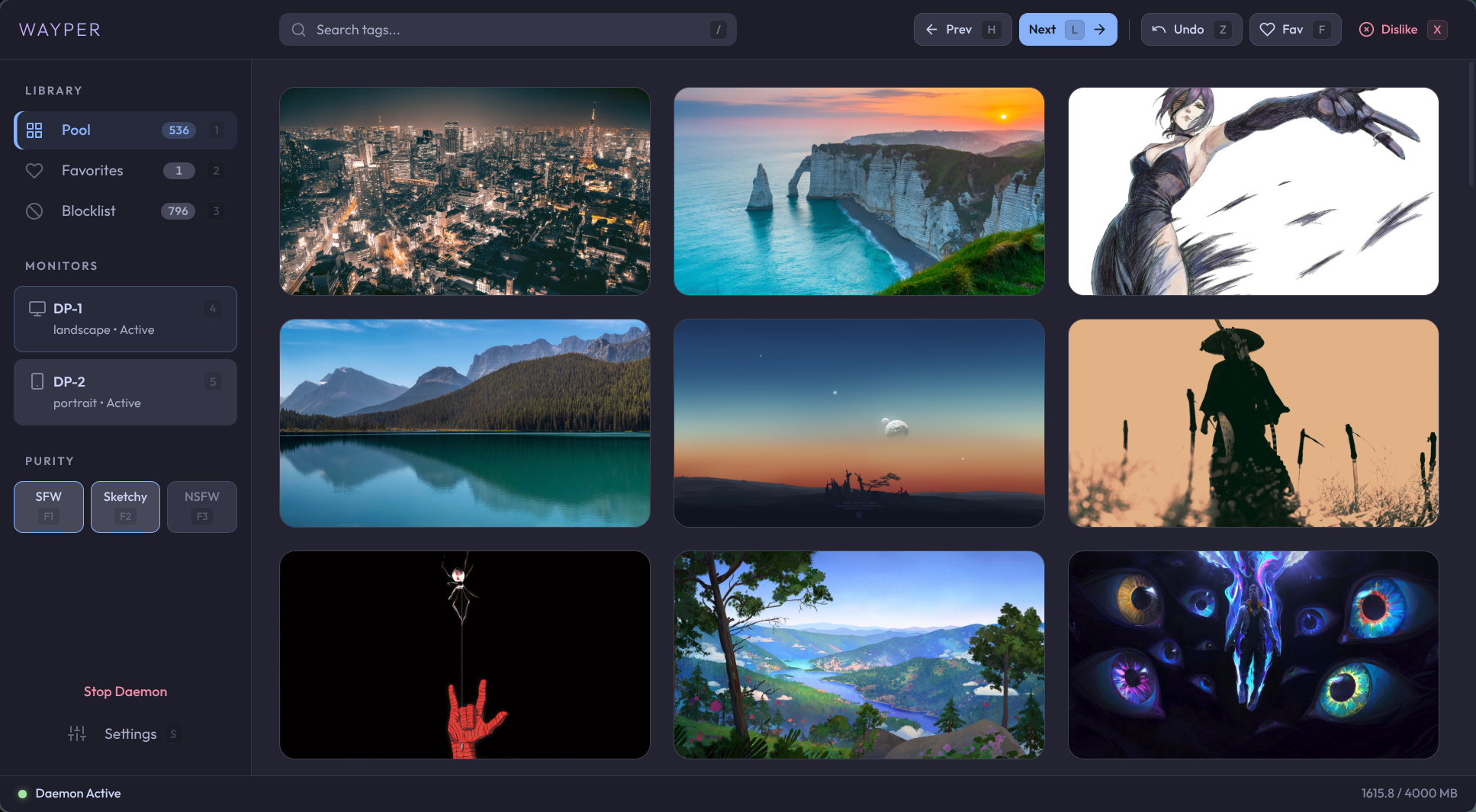
wayper lets you browse the pool, favorites, and banned wallpapers. Closing the window keeps rotation running in the system tray. CLI subcommands remain available; wayper-gui is kept as a compatibility alias.
Review
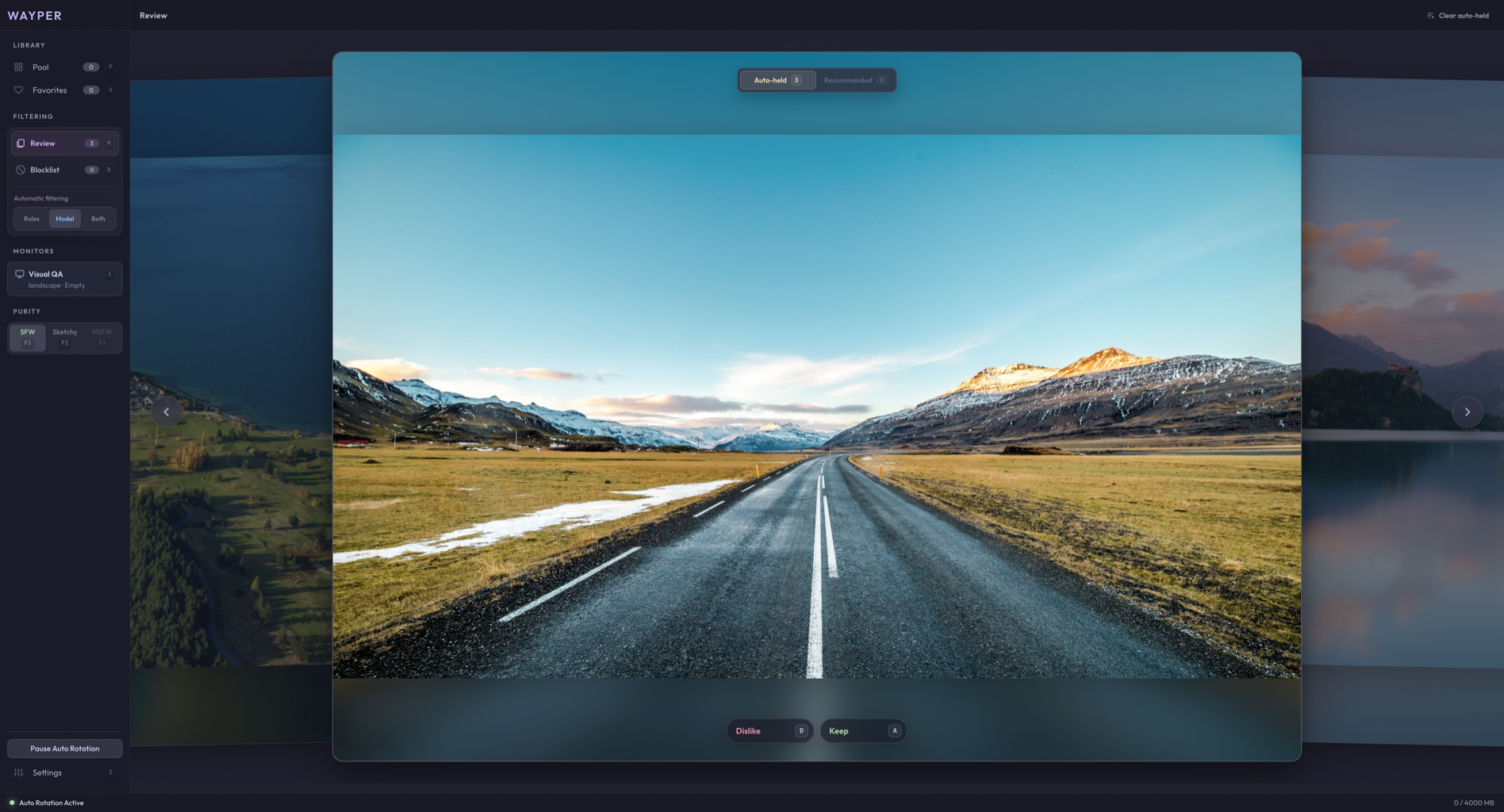
Review auto-held downloads and model recommendations. Keep or Dislike each image to refine local filtering, or clear auto-held items without teaching the model.
Grid view
Lightbox preview
Built-in MCP server lets AI assistants control your wallpapers. Ask Codex or Claude to "favorite this wallpaper" or "switch to something with mountains" — it just works.
# Codex (~/.codex/config.toml)
[mcp_servers.wayper]
command = "/path/to/wayper/.venv/bin/wayper-mcp"

# Claude Code (~/.claude/.mcp.json)
{
  "mcpServers": {
    "wayper": {
      "command": "/path/to/wayper/.venv/bin/wayper-mcp"
    }
  }
}
Tools: status next_wallpaper prev_wallpaper fav unfav dislike ban unban set_mode delete_wallpaper wallpaper_info tag_stats_top tag_stats_lookup tag_stats_combo uploader_stats_lookup
Bind wayper commands to your compositor shortcuts for instant wallpaper control.
bind = $mod, F9,       exec, wayper ban
bind = $mod CTRL, F9,  exec, wayper dislike
bind = $mod SHIFT, F9, exec, wayper unban
bind = $mod, F10,      exec, wayper fav
bind = $mod SHIFT, F10,exec, wayper unfav
bind = $mod CTRL, F10, exec, wayper fav --open
bind = $mod, F11,      exec, wayper next
bind = $mod SHIFT, F11,exec, wayper prev
bind = $mod, F12,      exec, wayper mode
bind = $mod SHIFT, F12,exec, wayper mode sketchy
exec-once = wayper --hidden
Hyprland and Sway use a status bar such as Waybar to host tray icons; enable Waybar's tray module.
cmd-shift-n = 'exec-and-forget wayper next'
cmd-shift-b = 'exec-and-forget wayper ban'
cmd-shift-f = 'exec-and-forget wayper fav'